Products · Workspace
One workspace for teaching, assessment and school leadership
Kurasa Workspace brings core school and classroom workflows together. Teachers prepare learning, record evidence and follow learner progress. School leaders review activity and reports across the school.
Hear from educators and partners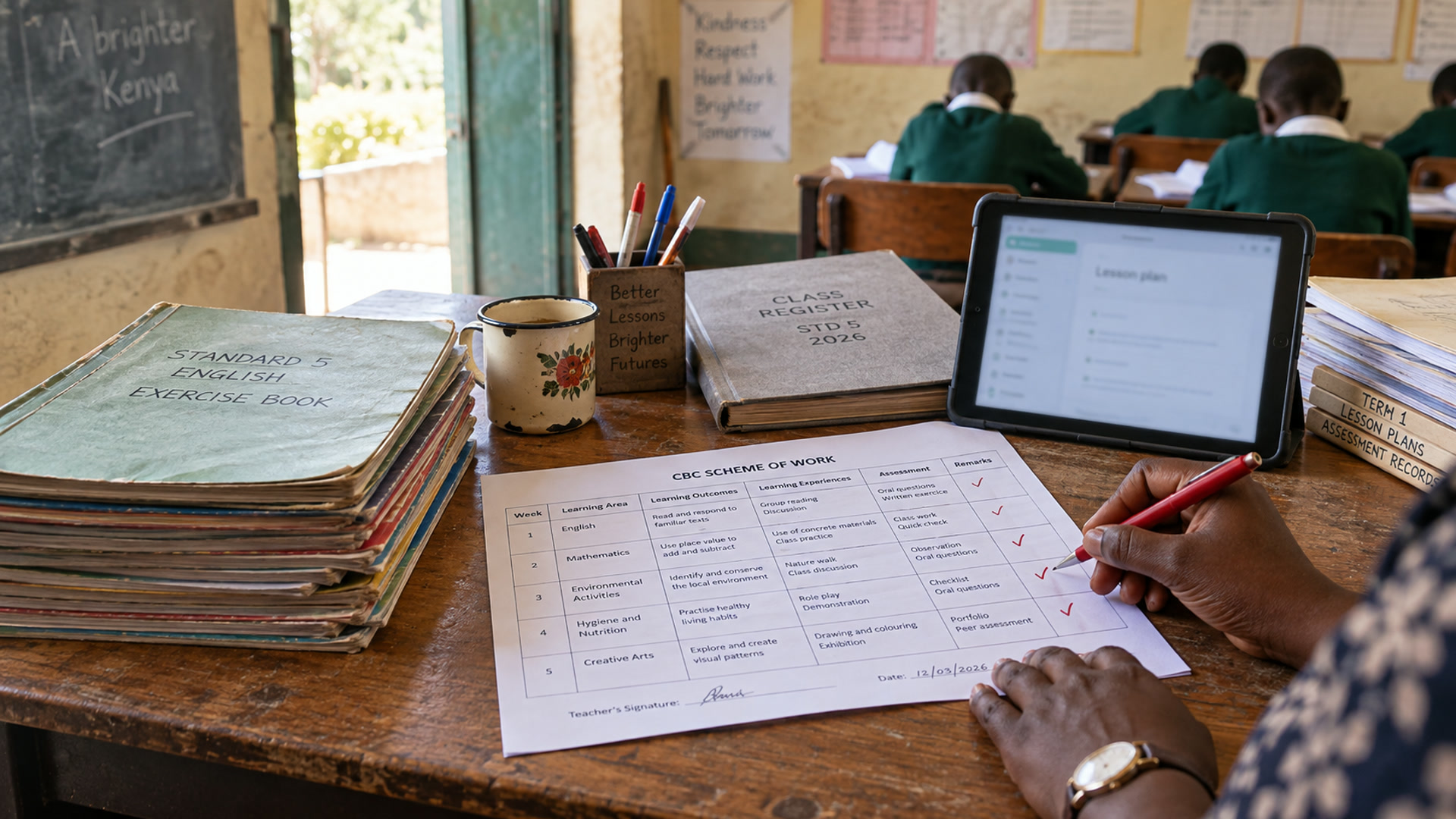
Inside Workspace
One school system for the people a CBC school works with
Owners, leaders, teachers, office staff, parents, learners and curriculum support use the same school record. What you see follows your role. Phone screens sit beside the desk views, for people who work on their feet.

Sign in once
One account can hold more than one school and role. Sign in with email, phone, username or a code.
Explore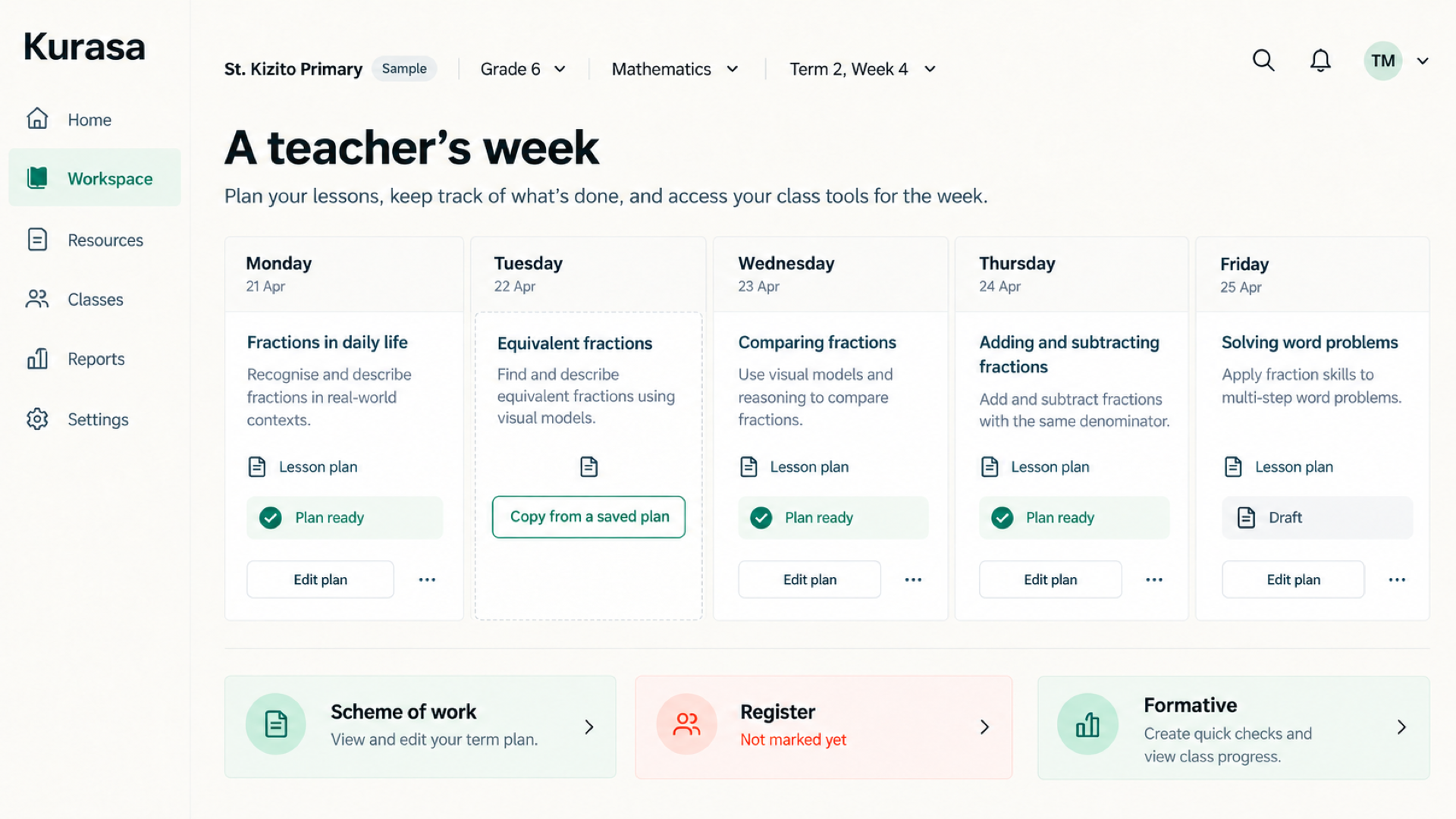
Teaching
Schemes, lesson plans, the register and formative assessment stay on the same class.
Explore
Assessment and reports
Formative and summative work stays on the learner. Report cards grow from that record.
Explore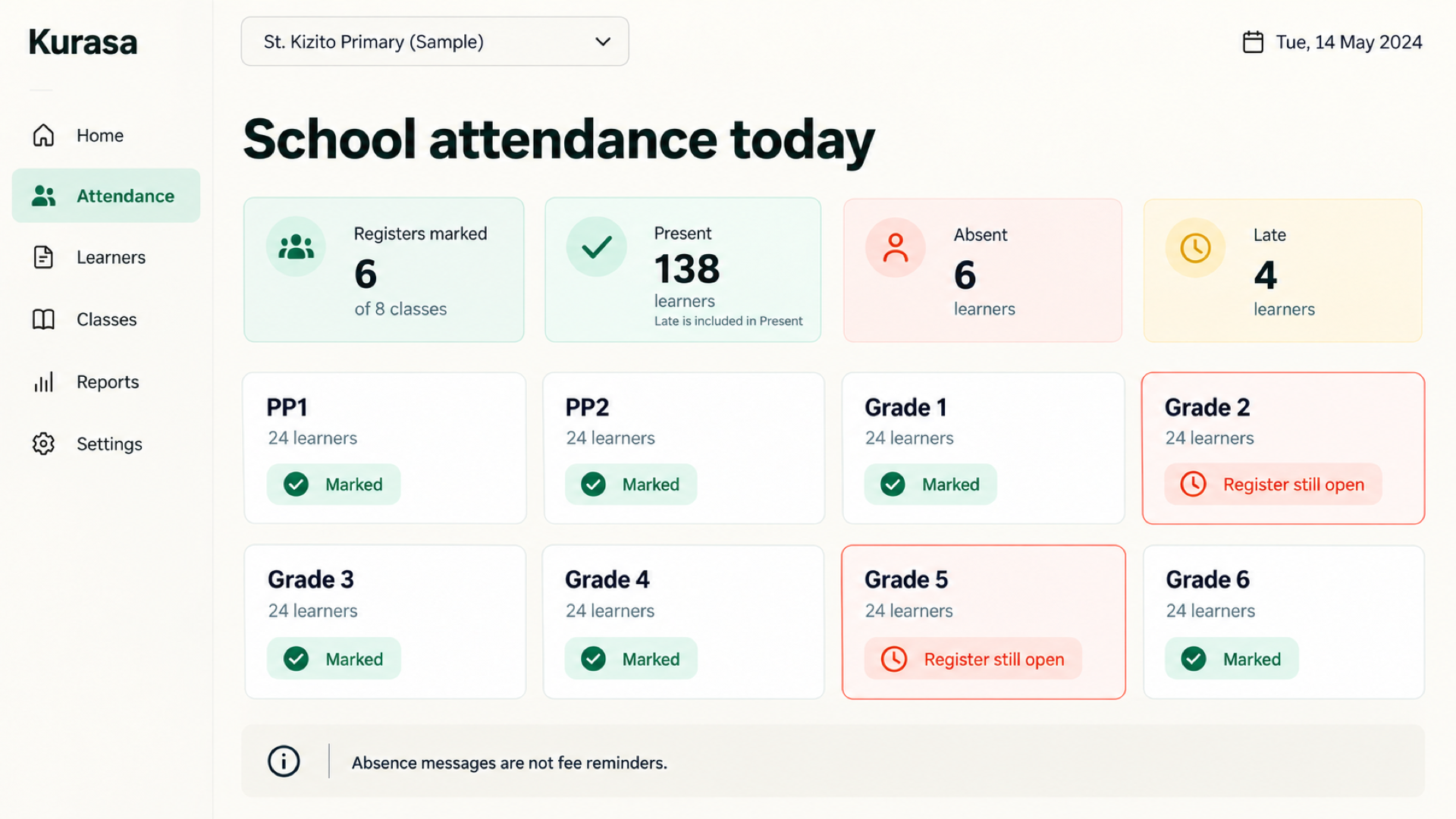
Attendance
The class register and the school picture update from the same mark.
Explore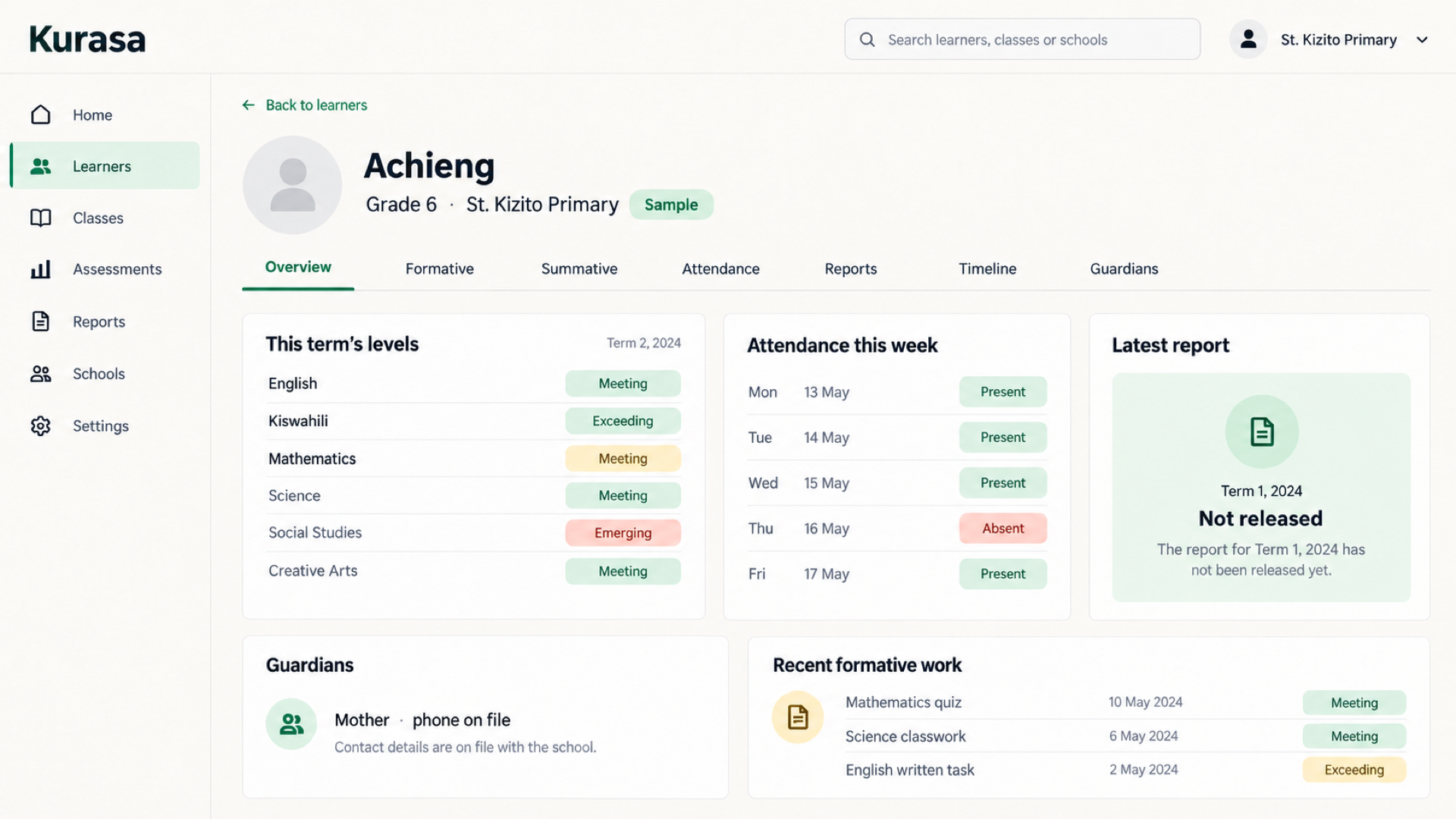
Learner records
A learner and a family exist once. Assessment, attendance and reports read that record.
Explore
Families
Schools choose what families see. Kurasa Home is the parent-facing product.
Explore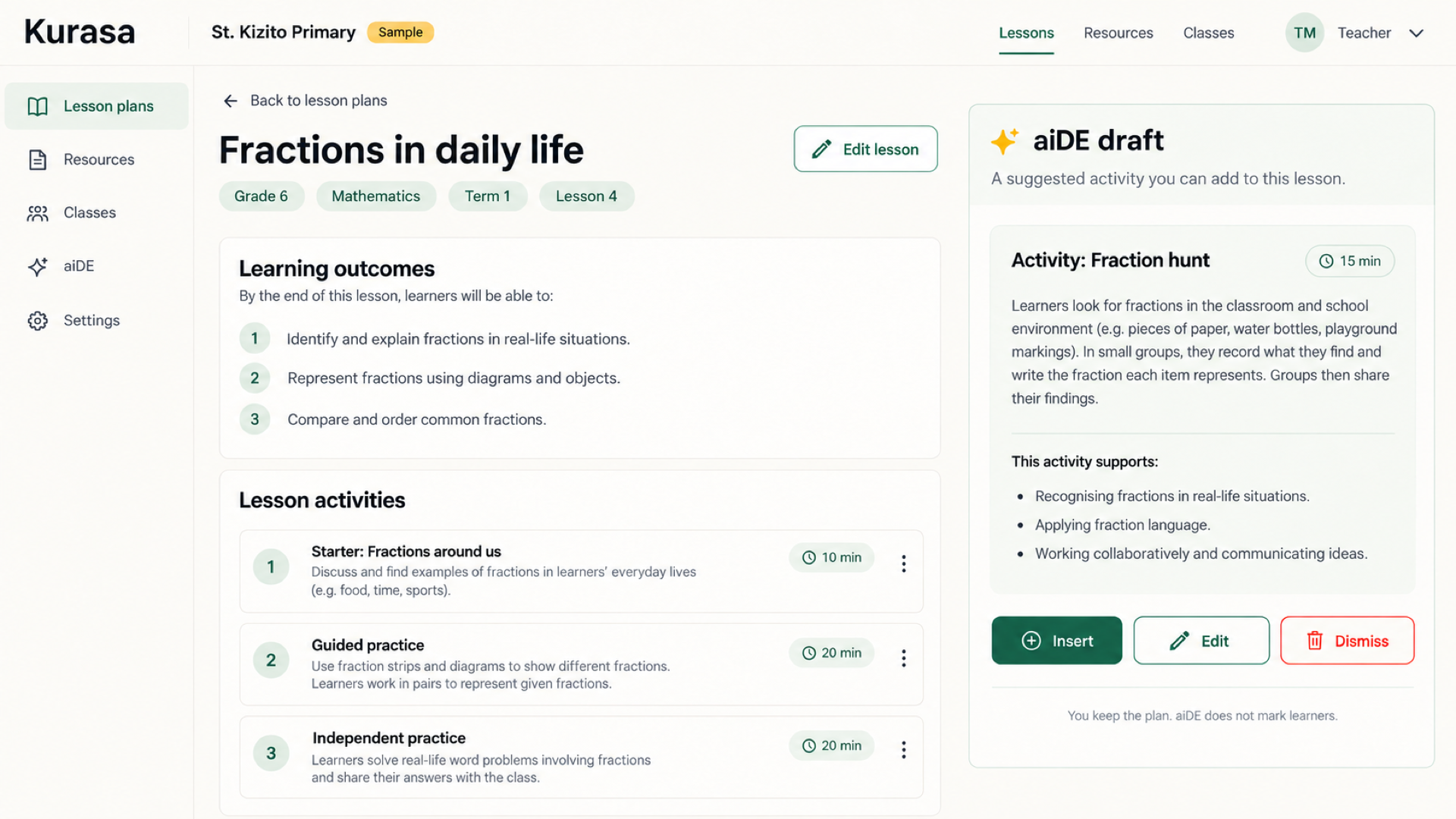
aiDE
aiDE can draft beside a lesson plan. The teacher edits it and keeps the plan.
Explore
PSL and Academy
Problem Solvers League and Kurasa Academy sit beside the school week. They are their own products.
Explore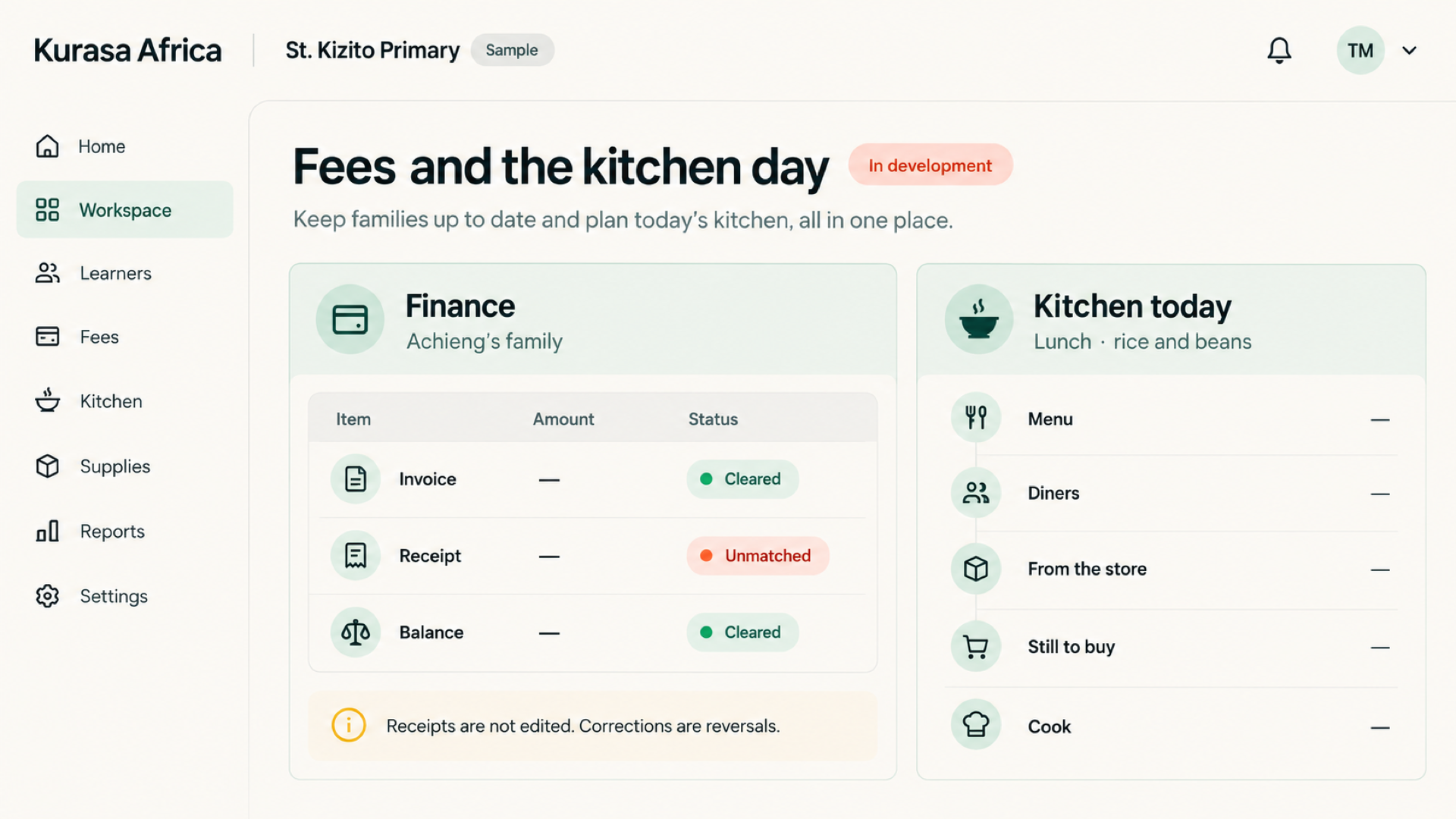
School operations
Finance, the kitchen and stores, staff and HR, and day-to-day operations are in the workspace design. Each joins a school plan when it is released.
Explore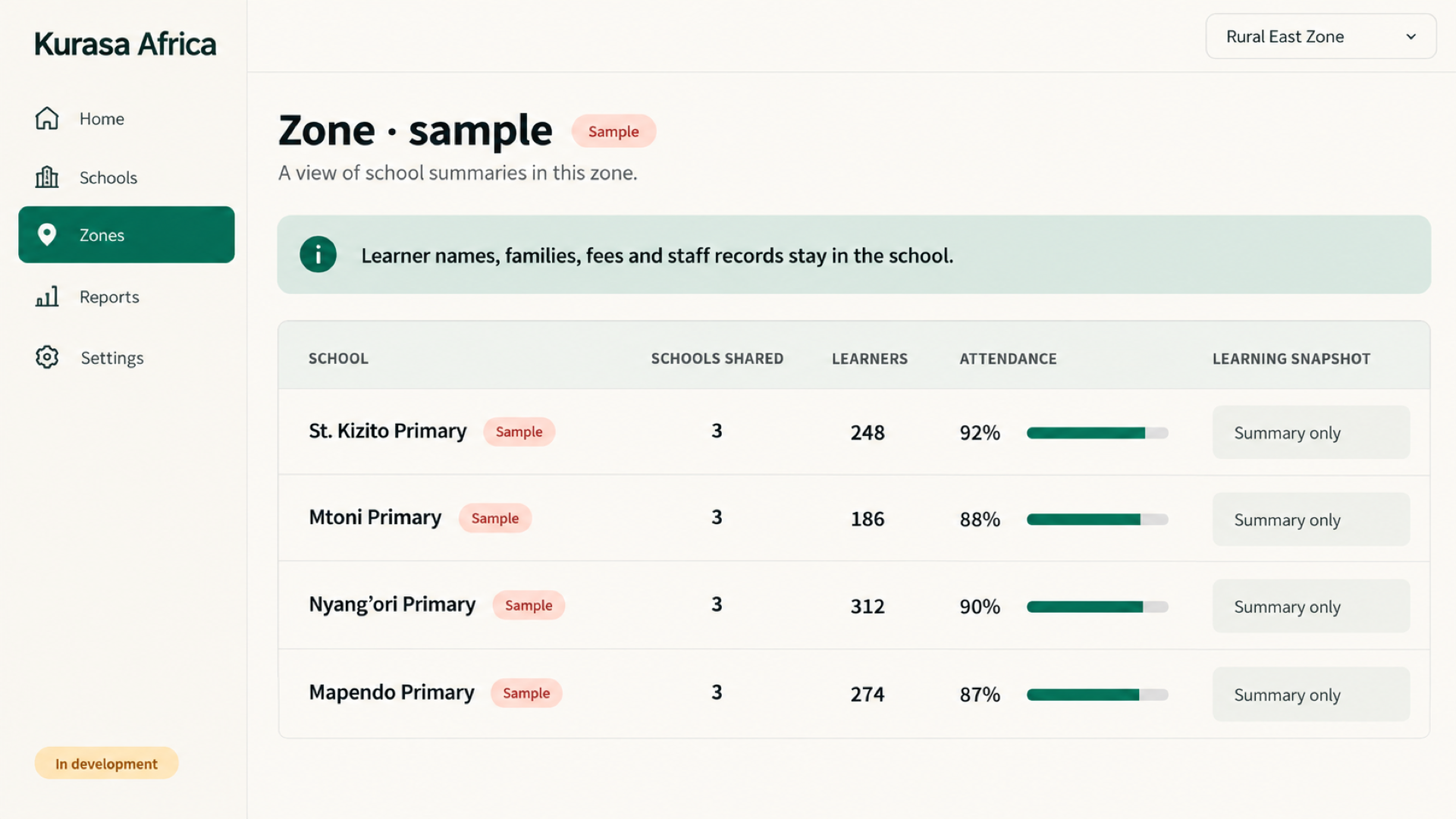
County and zone view
A curriculum officer would see summaries for the schools that choose to share them. Learner names, families and fees stay in the school.
ExploreVoices from education practice
Hear from educators and partners
Explore their accounts of lesson preparation, classroom evidence and teacher support.

Kenya · classroom practice
Prepare the lesson. Keep the classroom record.
Stanley Kago · Cheleta Primary
Stanley Kago describes preparing lessons, taking attendance and keeping assessment records at Cheleta Primary.
Original audio: English
Explore teaching planning
Kenya · school leadership
A school leader’s perspective on Kurasa
Anthony Pertet · Olerai Schools
Anthony Pertet of Olerai Schools shares his perspective at Kurasa Day in September 2023. Hear a school leader’s account alongside the current Workspace guide.
Original audio: English
Set up your schoolKeep everyday work connected
Connect lesson preparation, attendance and assessment to the same class record. A teacher can review what was planned alongside the evidence recorded during the week, then decide what to revisit. Agree a manageable routine so keeping the record supports teaching rather than becoming a separate reporting exercise.
Give each role a useful view
Give teachers the classroom information they need and leaders an appropriate view across the school. A person may hold different roles in different workspaces. Check the school and role in use before entering information, sharing an update or reviewing a report.
Start with your school
Choose a school lead, confirm the class structure and prepare accurate learner records before inviting staff. Start with one team or routine, review what needs support and extend from there. Discuss migration, training and larger rollouts with Kurasa when those arrangements need a separate scope.
Follow the learning from plan to report
A useful school record starts before the lesson and grows as teachers capture attendance and assessment evidence. Workspace brings these activities together so that the next lesson, a learner conversation and a term report can draw on the same school context. Staff review records and keep them accurate.
Begin with a manageable routine
Choose one class or teaching team, check learner records and agree who will maintain them. Introduce planning, attendance and assessment in a sequence that staff can sustain. School leaders can then review use, identify support needs and decide when to extend the workflow to other teams.
Explore Workspace
Teaching & planning
Kurasa helps teachers organize schemes of work and lesson plans. Teachers adapt each plan to their learners, curriculum and classroom context.
ExploreAssessment
Kurasa helps schools organize assessment and grading information so teachers can review progress and decide where support is needed.
ExploreLearner records
Kurasa helps schools maintain learner profiles and connect relevant information to classroom and school workflows.
ExploreAttendance
Kurasa helps schools record attendance and bring it into the school’s working picture of learner participation.
ExploreInsights & reports
Kurasa reports help authorized users review learner, class and school information in an organized way.
ExploreFamily engagement
Kurasa supports school communication with families. Schools decide what to share and who may share it.
ExploreWhat a workspace is
A Kurasa workspace is one school’s operating environment.
It holds teachers, classrooms, learners, assessments, attendance, reports, and school settings. A user only sees what their role allows. The same person can be a teacher in one school, a parent in another, and a headteacher in a third — without mixing data.
Create a workspace, add classrooms, invite your team, and start teaching the same day.
Teachers, leaders, and parents — in the same school.
Plan, teach, assess.
Plan the lesson, teach it, assess the class, and see who needs help. Formative and summative assessment, schemes of work, attendance, and learner evidence sit in one place.
See the whole school.
See teacher activity, setup health, class performance, parent engagement, and school-wide attendance. Assign roles, set grading and term dates, and keep the school accountable without chasing spreadsheets.
Stay in the loop.
Follow each child’s assessments, attendance, and reports as they happen. Updates can come by SMS, in-app, or the guardian mobile app.
Inside Workspace
The school command center.
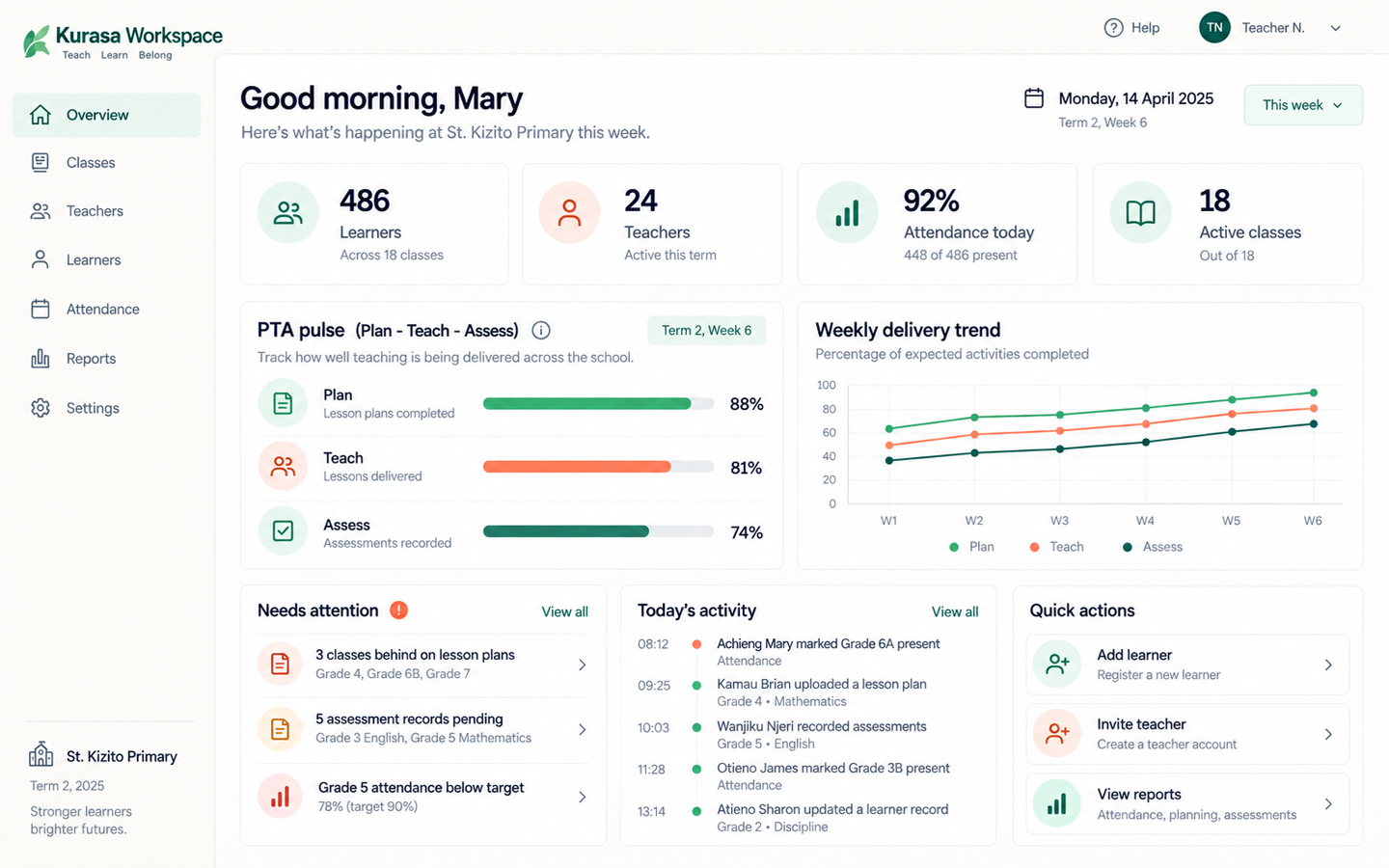
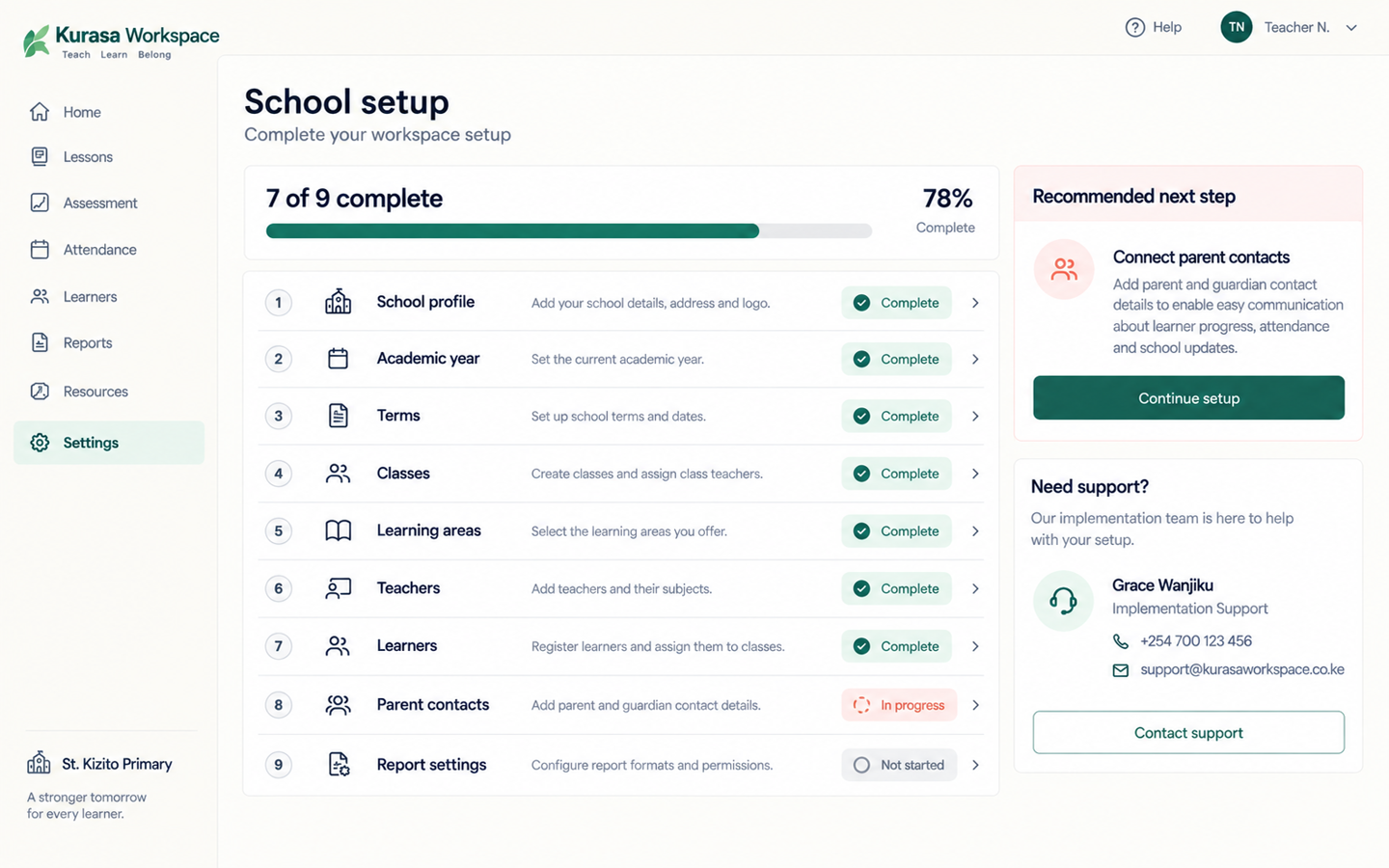
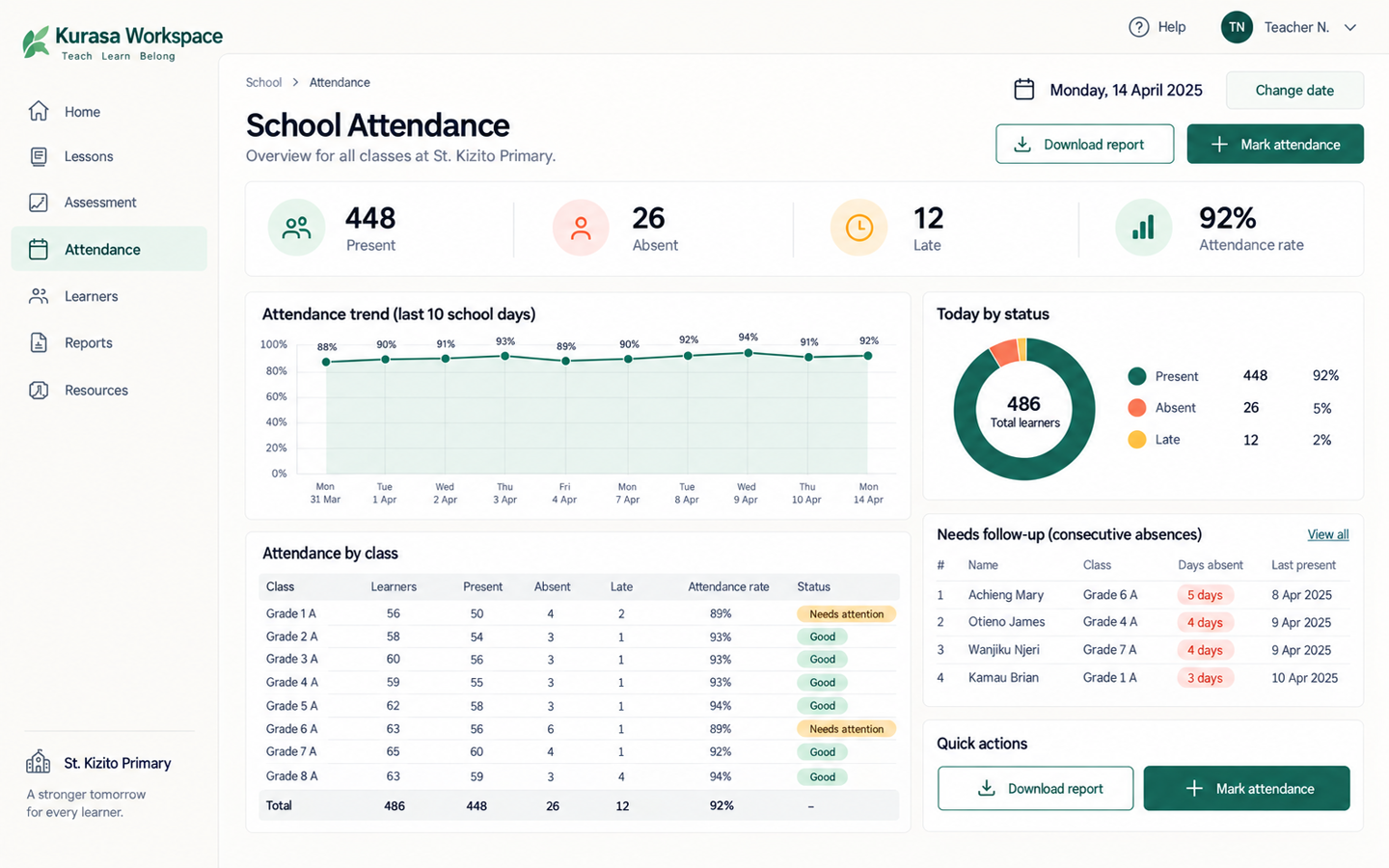
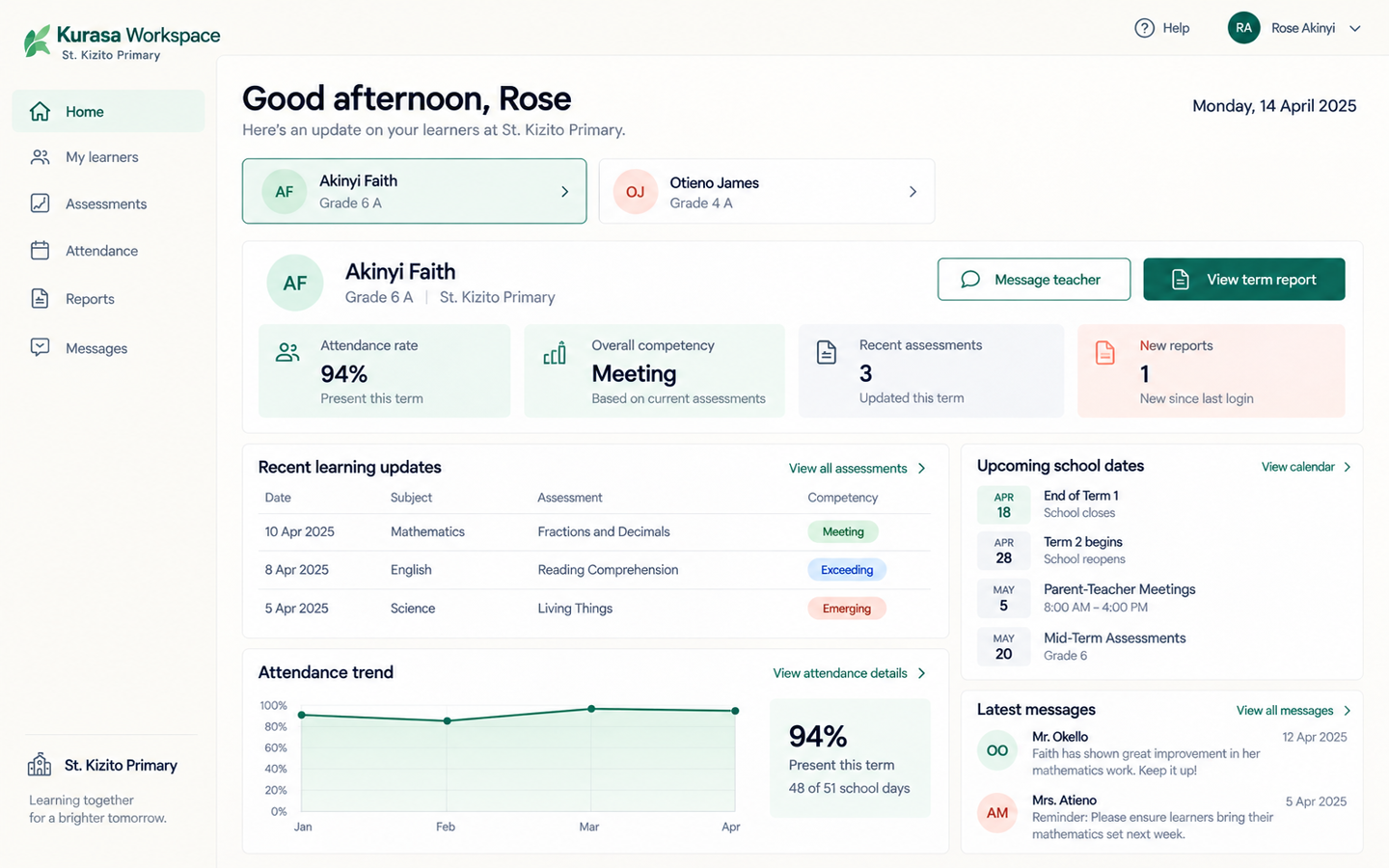
Admin Home
The school command center
Attention alerts, classroom counts, and the week — sidebar visible.
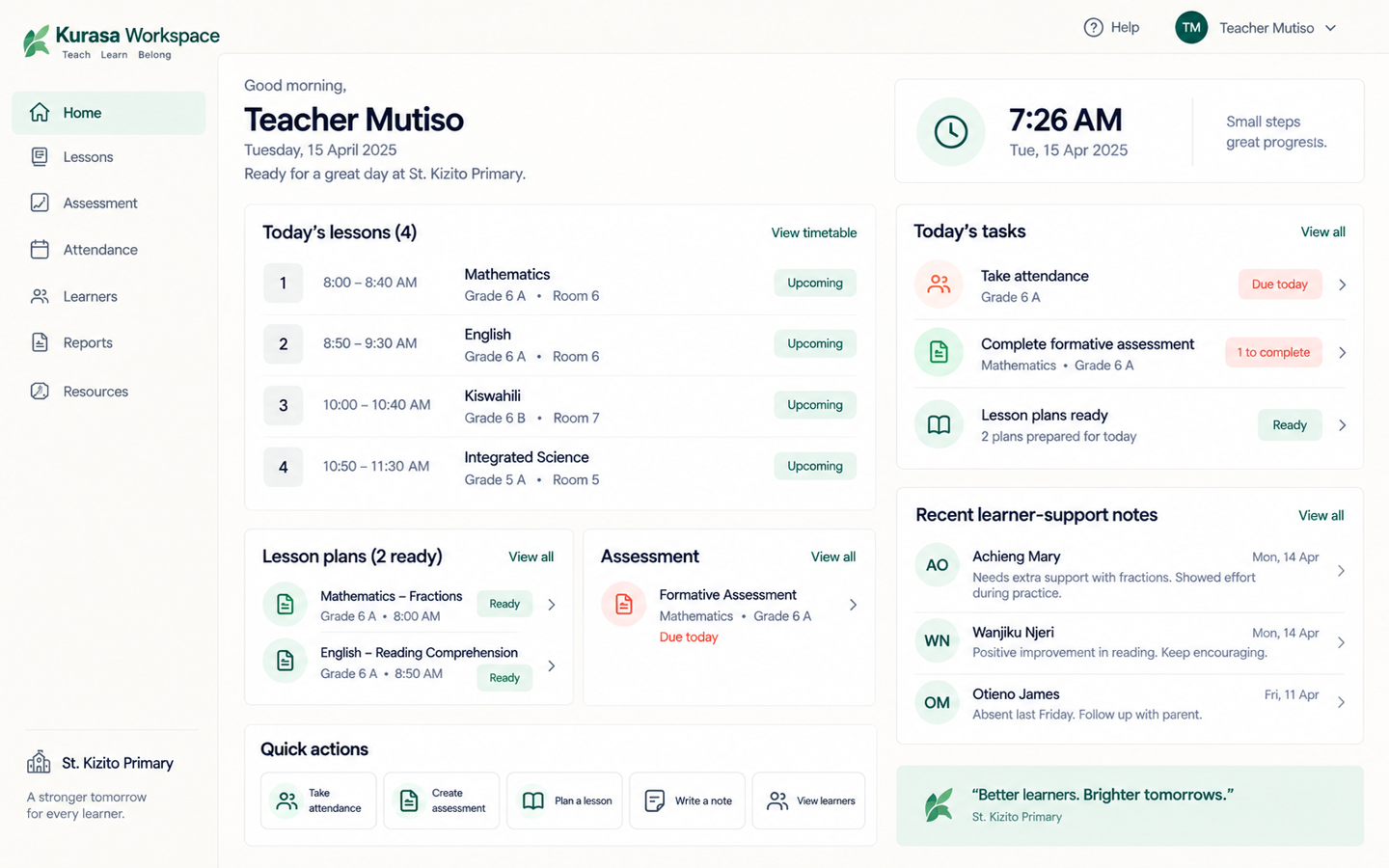
On the phone
The same workspace, in a pocket.
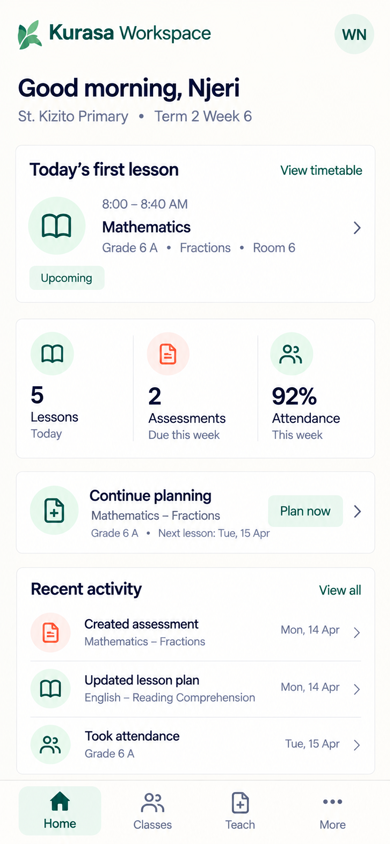
Teacher Home
Clock in from the phone
Staff presence without a paper register.
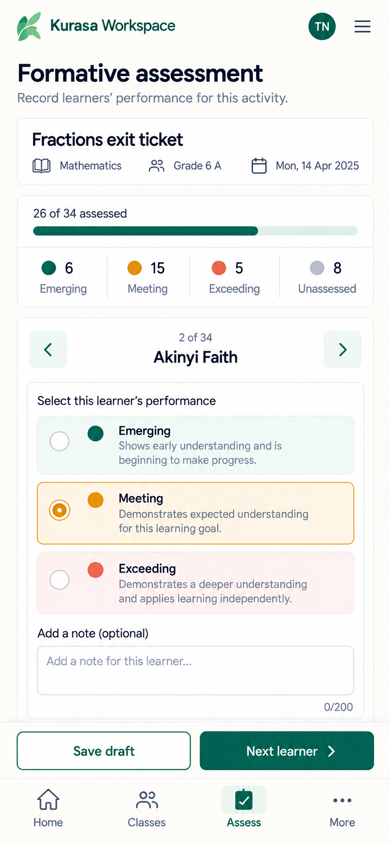
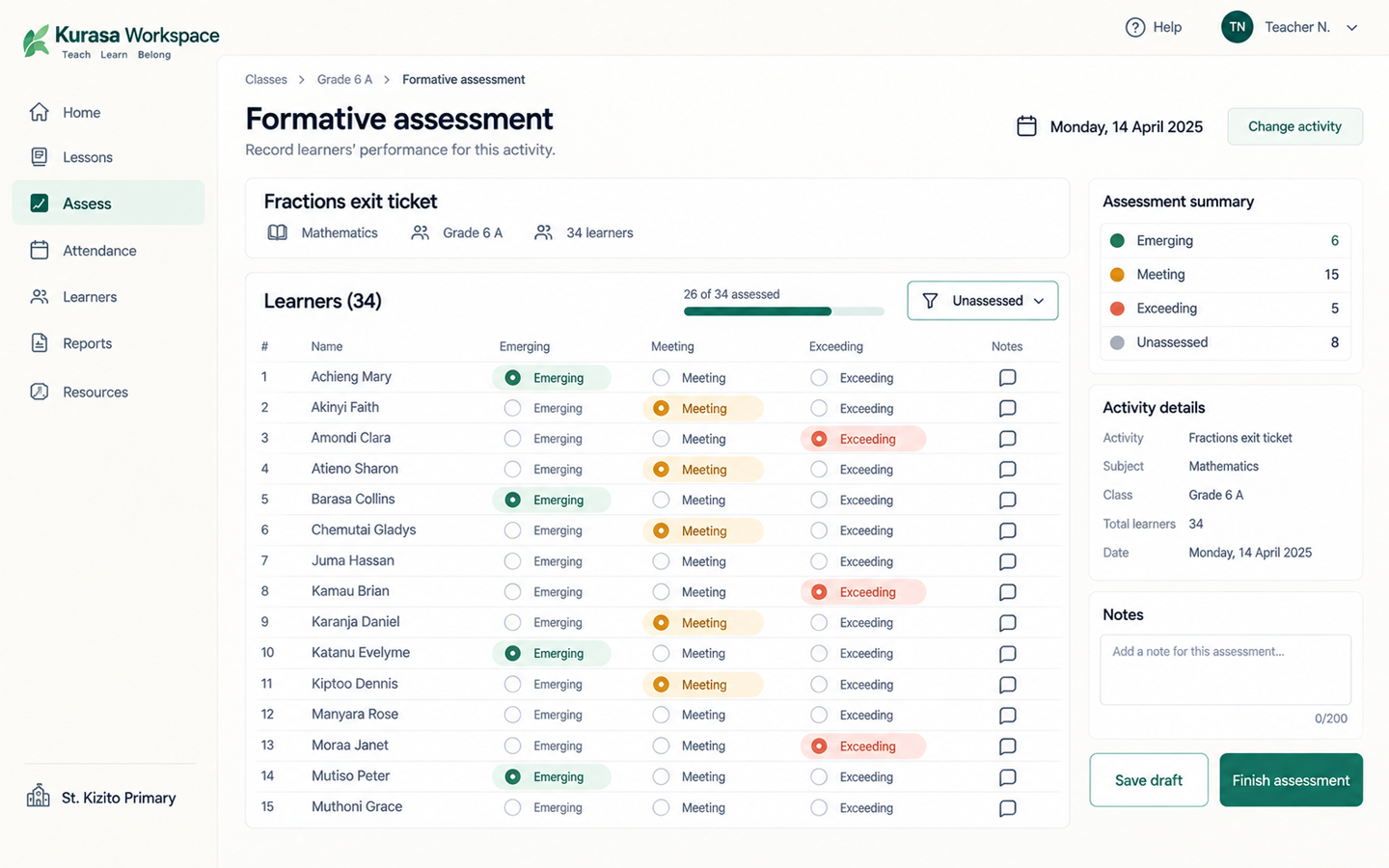
Formative
Mark the class
Assess a full class in under two minutes.
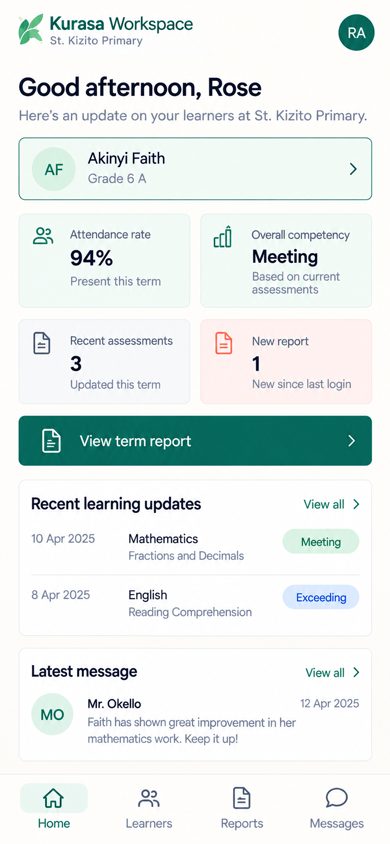
Parents
My Learners
A report, or Parent → My Learners. No Daily Challenge screen.
Plan. Assess. See the school. Keep records. Talk to parents.
Plan
CBC-ready lesson plans, publisher teacher guides, schemes of work, and in-class lesson delivery. Clone and share plans across classes.
Assess
Daily formative assessment on strands and substrands, summative tests, mark upload, a question bank, and a digital grade book. Teachers can assess a full class in under two minutes. Evidence lives on the learner profile.
See the school
Admin Home shows attention alerts, lesson-plan health, subject completion, class activity, setup health, and parent engagement. Teacher Home shows clock-in, assessments, and attendance.
Keep records
Class and school attendance, staff clock-in, learner timelines, IEPs, branded reports, and PDF grade books.
Talk to parents
Guardian accounts, class wall, SMS and in-app messages, templates, and termly comments.
Curricula
Built first for Kenya’s Competency Based Curriculum.
Also supports Ghana’s Common Core Program, IGCSE, ECD, 8-4-4, and other school programmes. Kenya and Ghana.
Questions schools ask first.
What is Kurasa Workspace?
The school product for planning, assessment, attendance, reporting and parent communication. Each school has its own secure workspace. Kurasa Workspace.
What is a workspace?
One school (or education unit) on Kurasa. It keeps that school’s people, classes and records separate, and controls who can do what.
Who uses Workspace?
Teachers, headteachers, administrators and class teachers in the school. Parents and learners see what the school has authorised. Curriculum officers may be invited where a programme needs them.
Does Workspace support CBC?
Yes. Lesson plans, formative assessment, rubrics and reports are built around competency-based curriculum. Other curricula can be supported where a school programme needs them.
How do we sign in?
Teachers and school staff sign in at app.kurasa.co. Use email, phone, username, or email OTP. If you belong to more than one school, pick a workspace after login.
What is PTA on Kurasa?
Plan–Teach–Assess — the teacher operating model inside a school workspace. It is not a parent-teacher association. A class and learning area is planned, taught as a recorded session, then formatively assessed against curriculum indicators. Plan–Teach–Assess.
Is there a parent app?
Guardian accounts live in Workspace. The guardian mobile app is included on Hakika and Imara school plans. Updates can also come by SMS or in-app, as the school has set.
Related
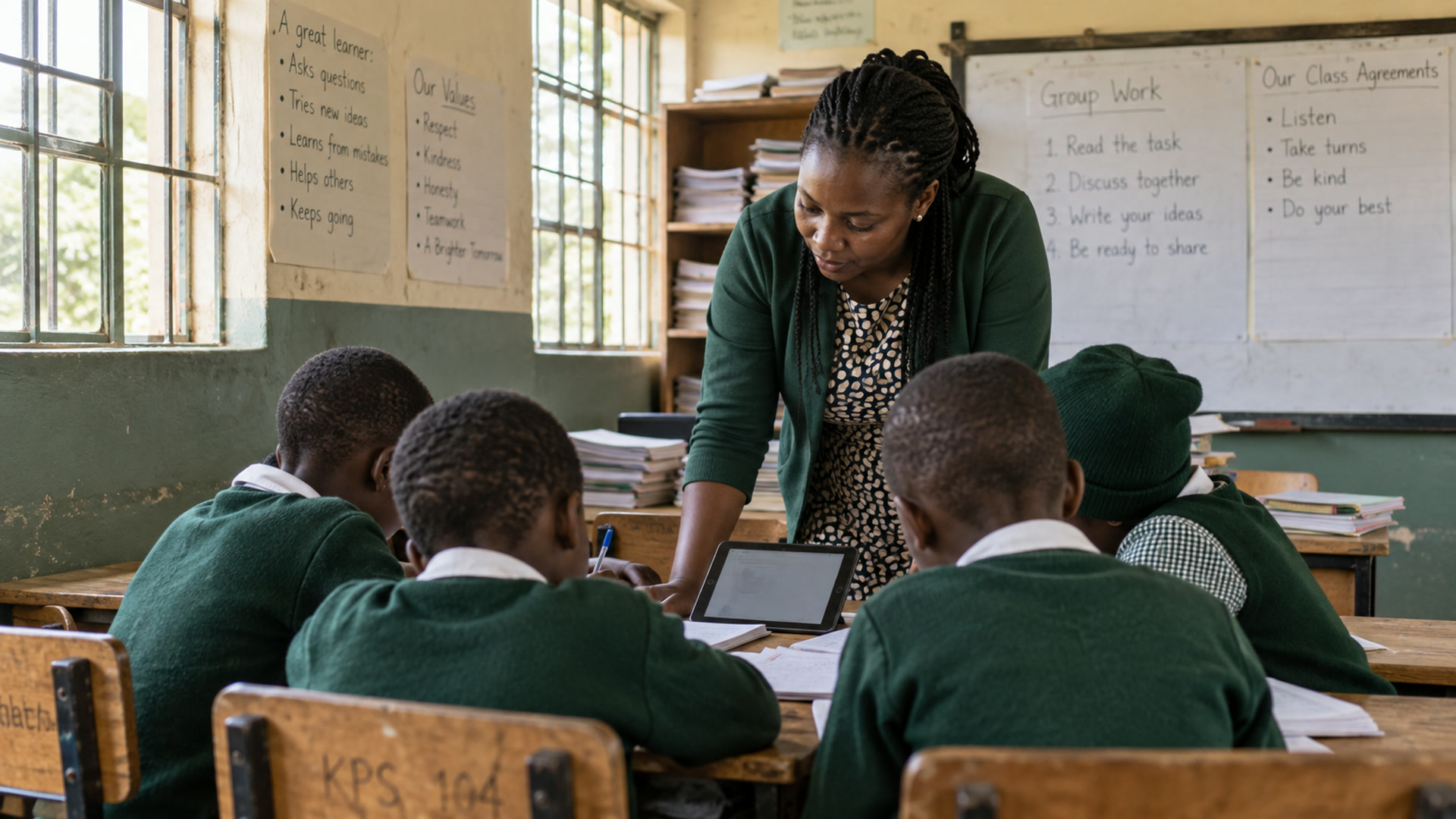
Workspace help
School setup, curriculum workflows, administration and weekly routines.
Explore
Products
Workspace, aiDE, PSL, TLAP and Academy, and how they connect.
Explore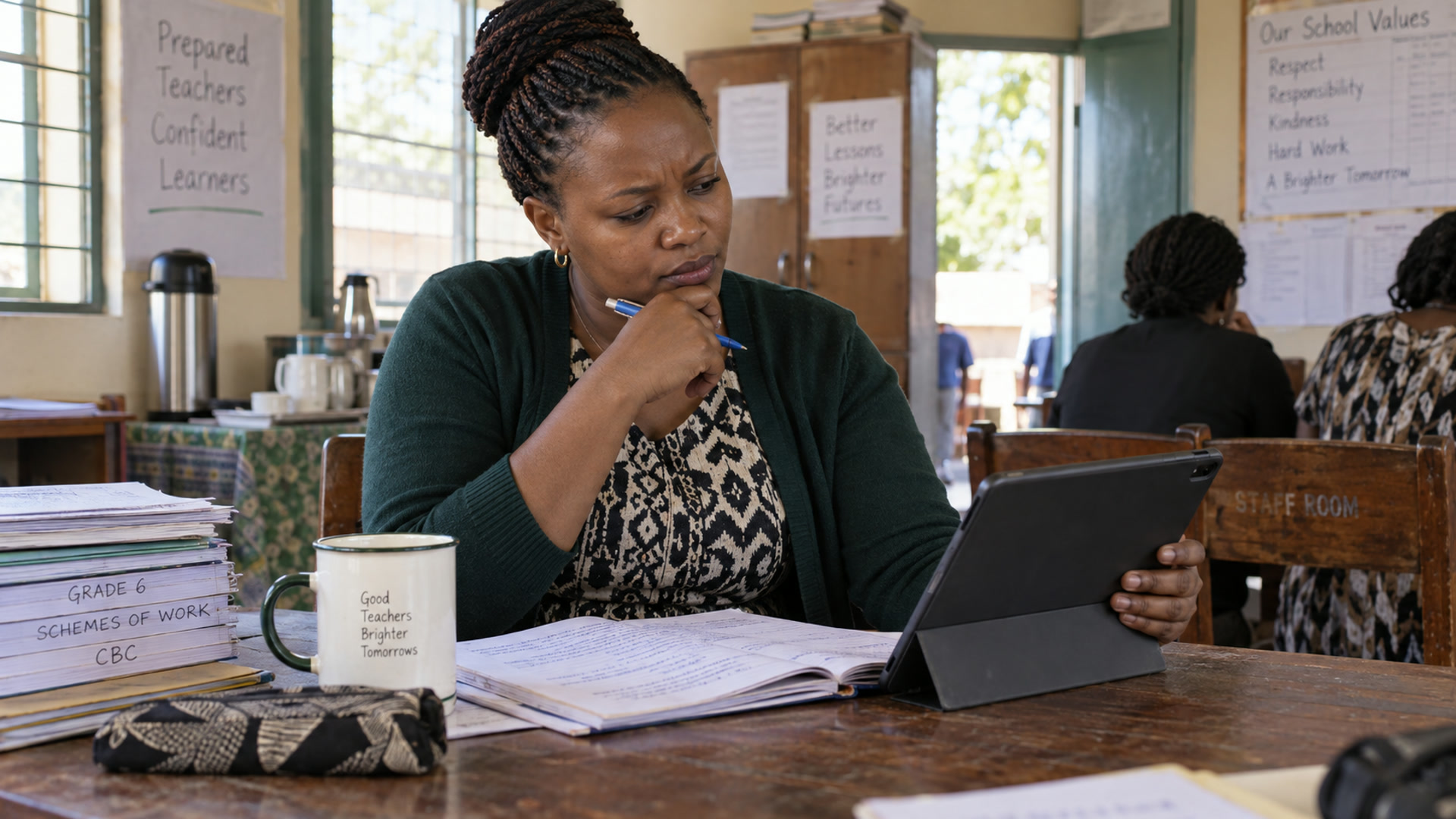
aiDE
The AI work layer for teachers and school leaders.
Explore
School plans
Chanzo, Hakika and Imara.
Explore
Onboarding
Self-onboarding in four steps.
Explore