Nouveau
PSL Daily Challenge
After school, eight minutes a day. Teachers recommend it as a homework alternative — five questions, not another booklet.
A learner answers 5 questions each day. How many questions in 7 days?
Everything you need to teach, assess and manage.
For stronger learners, schools and communities.
Nouveau
After school, eight minutes a day. Teachers recommend it as a homework alternative — five questions, not another booklet.
A learner answers 5 questions each day. How many questions in 7 days?
Workspace · PTA
PTA is Kurasa’s teacher operating model, inside a school workspace. Every allocated class and learning area is supposed to move through those three steps against the curriculum, then loop again.
Why the model exists
Competency-based curricula — Kenya CBC, Ghana CCP, Rwanda CBC — expect teachers to plan against official strands, teach with learner-centred activities, and capture skills evidence during or right after the lesson.
Kurasa’s claim is that planning informs teaching, teaching informs assessment, and assessment informs the next plan. PTA is how that claim is measured. The unit of work is not “a subject for the year.” It is one teacher × one class × one learning area, broken down to substrand, then indicator.
Curriculum grain
Expected indicators come from the official curriculum for that grade and subject. A substrand is complete only when every expected indicator in it has a closed formative batch. Lesson plans alone cannot complete it.
Next lesson and support sit after Assess. Learners who scored 2 or below on the latest result need support — that is an action list, not a pass/fail exam.
The three pillars
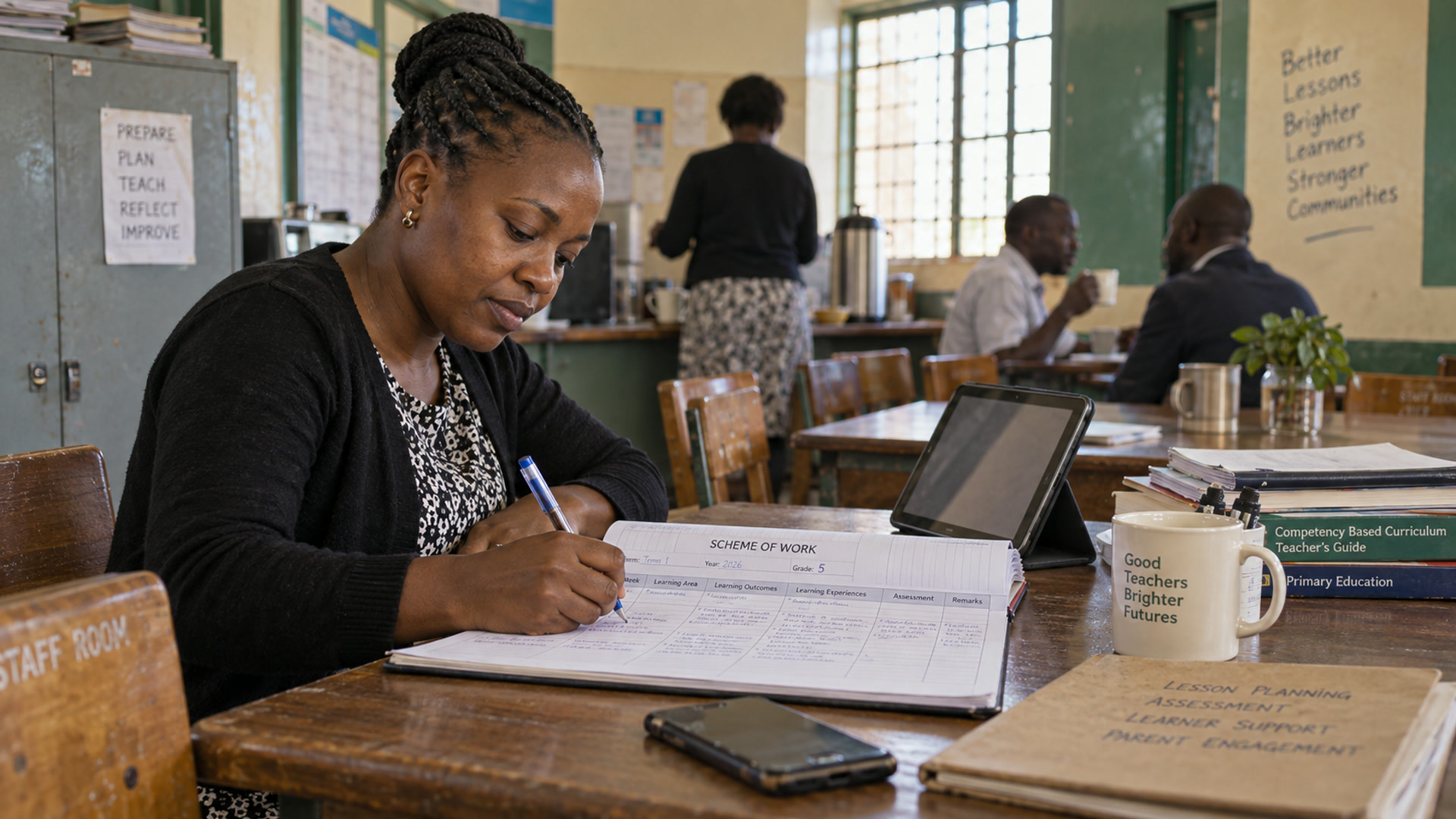
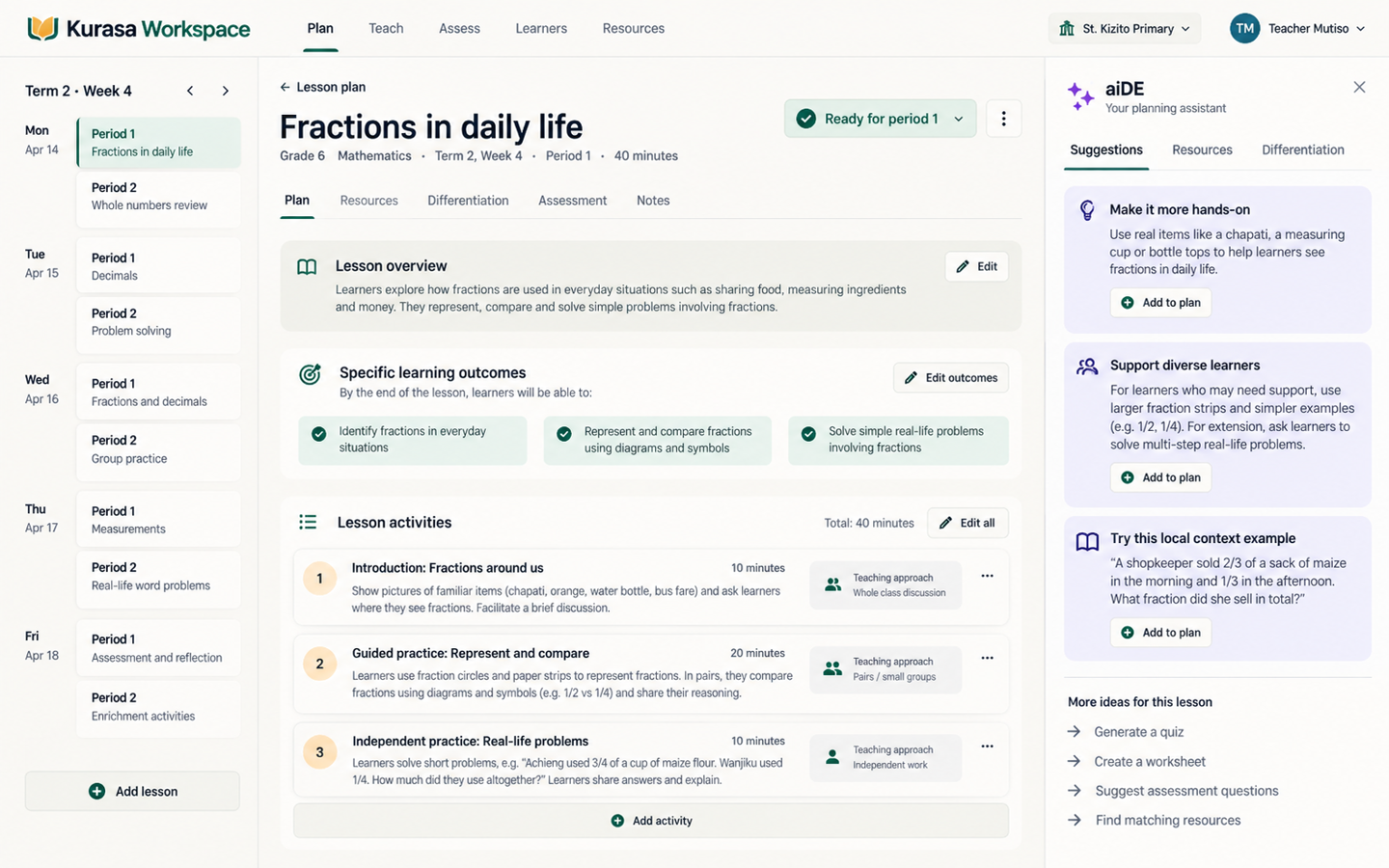
The teacher writes a CBC-aligned lesson plan for a scheduled class. A complete plan is not free text: learning area, strand, substrand, outcomes, competencies, experiences, lesson development, resources, a planned assessment method, and a reflection.
Plans can be segmented — timed chunks with teacher notes, learner activity, key questions, and an assessment prompt. That structure is what Teach mode later walks through. Above the lesson sits the scheme of work. PTA reporting itself is lesson-grain, not scheme-grain.
A saved plan with a start time counts as planned. Schemes are not a substitute for plans.
Planning is not delivery. Teach means the teacher actually ran the lesson in Teach mode: started from the plan, walked the segments with a timer, logged time spent, and completed the session — including whether objectives were met, a reflection, and follow-up.
Only completed sessions count. Delivery completion rate is completed sessions divided by scheduled plans. A plan with no completed session is the core Teach failure: planned but not delivered.
Attendance is adjacent — the class happened, who was present — but it is not a PTA pillar. PTA Teach is lesson fidelity, not roll call.
Assess means formative evidence against curriculum indicators, captured as a closed batch for the class. Pick learning area → strand → substrand → indicator. Load the class list. Score each learner on the rubric (commonly 1–4: below, approaching, meets, exceeds). Submit. That closes a batch.
Batches can be linked to the lesson plan and the delivery session. That is the closed loop: this lesson produced this evidence. Draft or unsubmitted assessments do not count. Summative tests sit beside PTA; PTA Assess is continuous classroom formative work.
A teacher week
Write lessons against the substrands still open.
Run the session. Do not only file the plan.
Often from inside the lesson, or immediately after.
Learners below the bar get support. Weak indicators get re-taught. Complete substrands drop off the backlog.
The classroom Plan–Teach–Assess Tracker (Classroom → Progress) is the teacher and HOD view of that loop. It is scoped to one teacher, one subject, and a date range — term by default. It needs subject allocations; with none, there is no PTA view.
| On a substrand card | What it means |
|---|---|
| Plan | Lesson plans created for that substrand. |
| Teach | Completed delivery sessions. |
| Assess | Indicators covered versus expected. |
| Coverage | Indicators covered ÷ indicators expected. |
No plans, no deliveries, no indicators.
Any PTA activity, coverage still under 100%.
Every expected indicator in the substrand has a closed formative batch.
Overall progress for the subject is indicators covered ÷ indicators expected — not “lessons filed.” A teacher can look busy on Plan and still be incomplete on Assess.
School leaders
Admins get a PTA Command Centre: a school-level Plan–Teach–Assess pulse for the current academic year’s classes. Did we plan? Did we actually teach? Did we assess the curriculum? Did learners meet the bar?
Teach and attainment both at 70 or above.
Either sits between 50 and 69.
Either is below 50.
The command centre surfaces missed lessons, teachers who plan but do not deliver, learners needing support, weak sections, unassessed indicator backlog, and wins — high teach with high attainment. Leaders can roll up by section, grade or class, filter by term, week or month, and export a brief for an HOD meeting.
Teacher rows are one line per teacher × class × subject: plans, deliveries, delivery rate, indicators assessed versus expected, average score.
What PTA is careful not to mix
A class can have high Assess coverage and low attainment — everything was marked, learners are still below. The pulse shows both on purpose.
| In PTA | Not PTA |
|---|---|
| CBC/CCP lesson plans | Schemes as a substitute for plans |
| Completed lesson delivery | Opening a plan and never teaching it |
| Closed formative indicator batches | Draft or unsubmitted assessments |
| Rubric bands and needs-support lists | Summative exams as the main score |
| Teacher × class × subject allocations | School-wide vanity counts with no allocation |
In the product
Teacher
Lesson Plans → create a CBC plan. Teach mode → run it as a timed session. Formative assessment — standalone or in-lesson quick mark. Classroom → Progress is the PTA tracker. Classroom → Formative shows who needs support and which indicators are weak.
School leader
Admin → PTA Command Centre: pulse, weekly trend, comparison, risks. Delivery insights for missed lessons and formative follow-up. Teacher activity sits beside it — plans done, attendance marked, indicators assessed — related daily stats, not a fourth pillar.
Parent
Reports and notifications. Parents are not a PTA pillar; they consume the evidence the cycle produces.
In one sentence
For every allocated class and subject, plan the curriculum lesson, teach it as a recorded session, then close formative evidence on the indicators — and keep looping until substrands are complete and learners who scored 2 or below get support.
Kurasa’s Teachers PTA model
Aussi dans Workspace
The digital school: plan, assess, attendance, reports, and parents — one workspace per school.
CBC-aligned plans ready in minutes.
Track competencies every lesson.
Simple daily registers.
Generated from real assessment data.
Your intelligent teaching assistant.
Start this term
Create the account, allocate classes, and let teachers close the loop on the indicators.